+1 609 570 7200

Deliver faster, higher-quality support while lowering service costs.







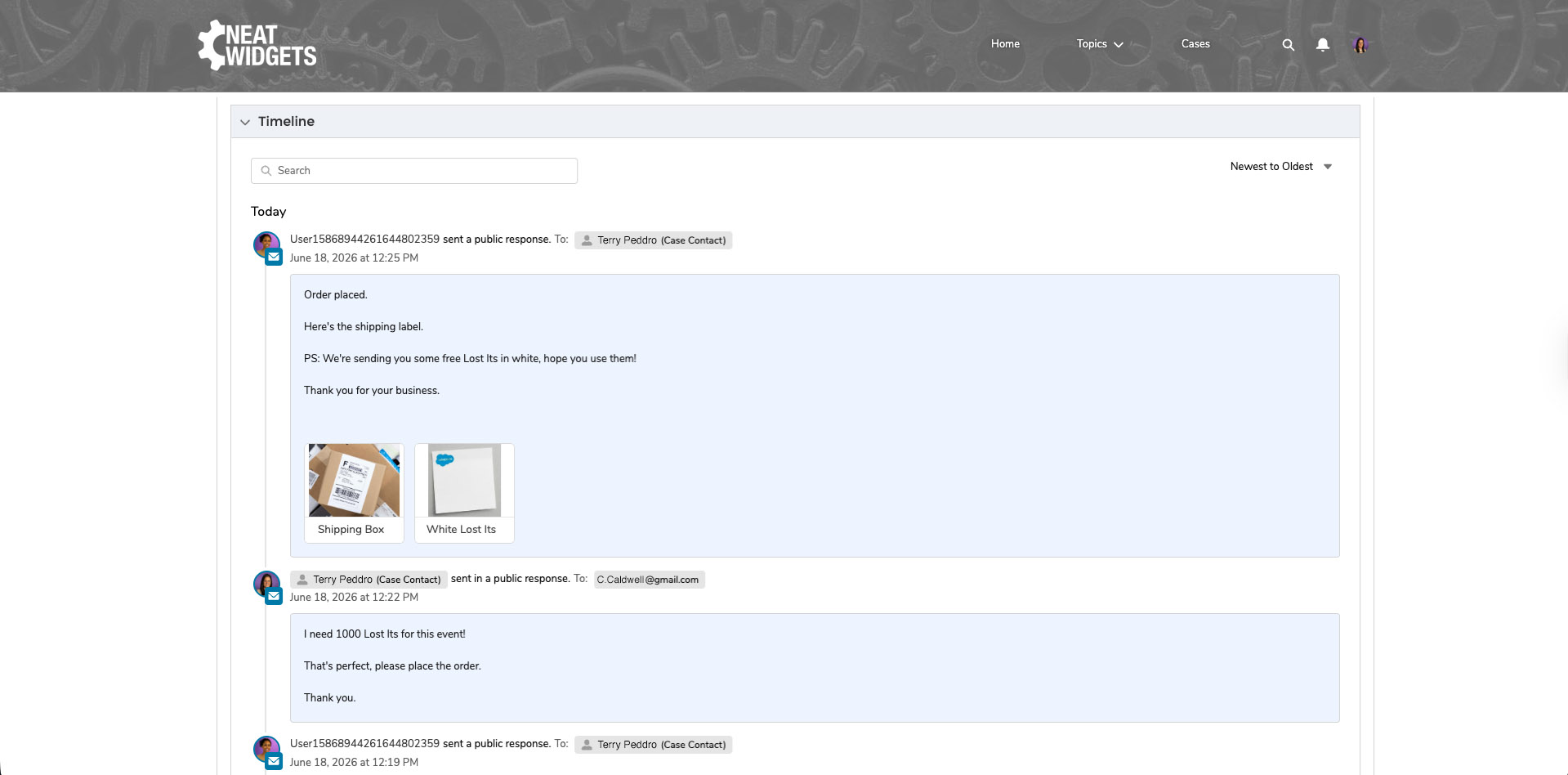
See every case event and email in one chronological view. Filter by public, private, or draft comments, and sort however your team works.
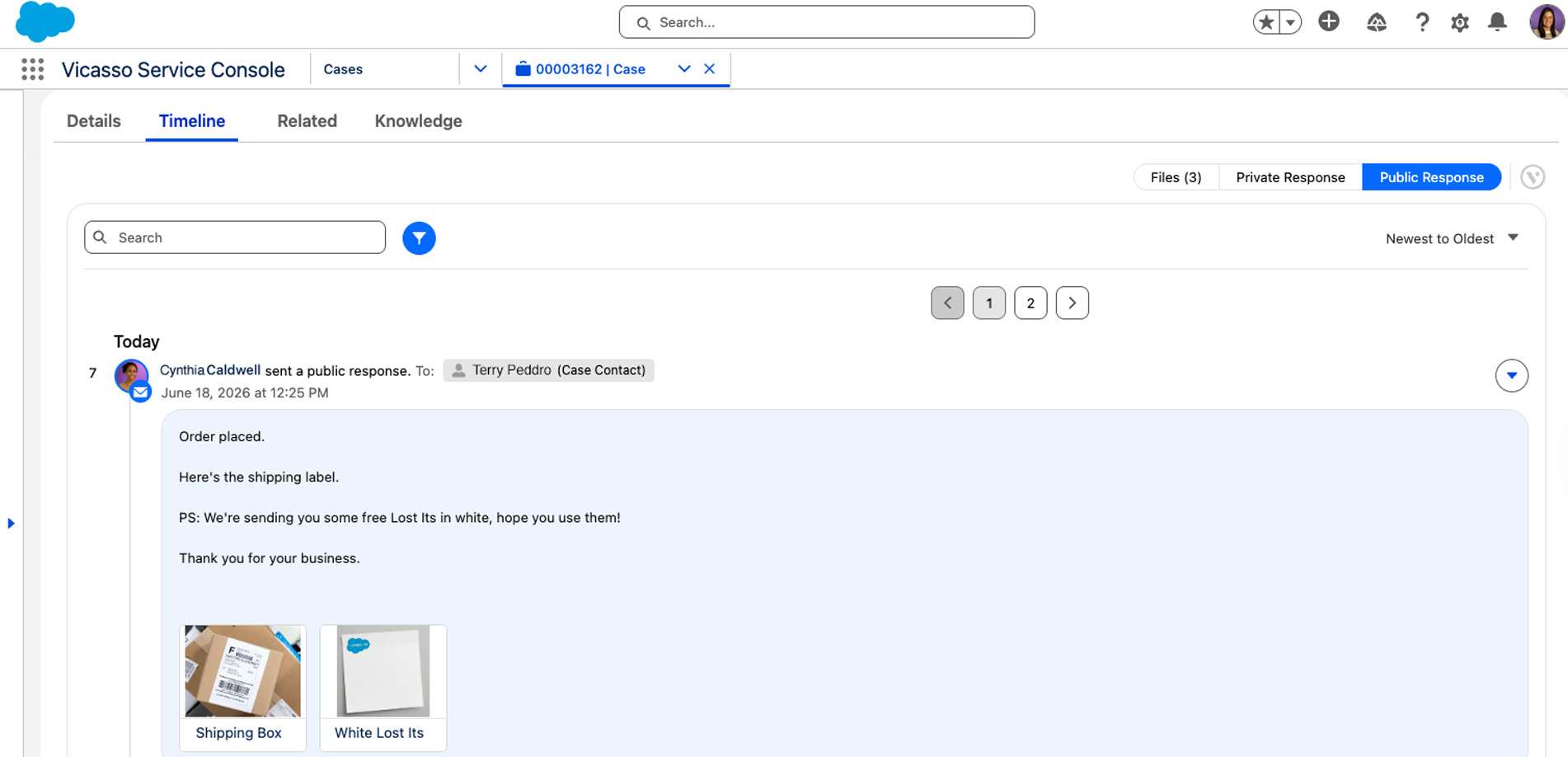
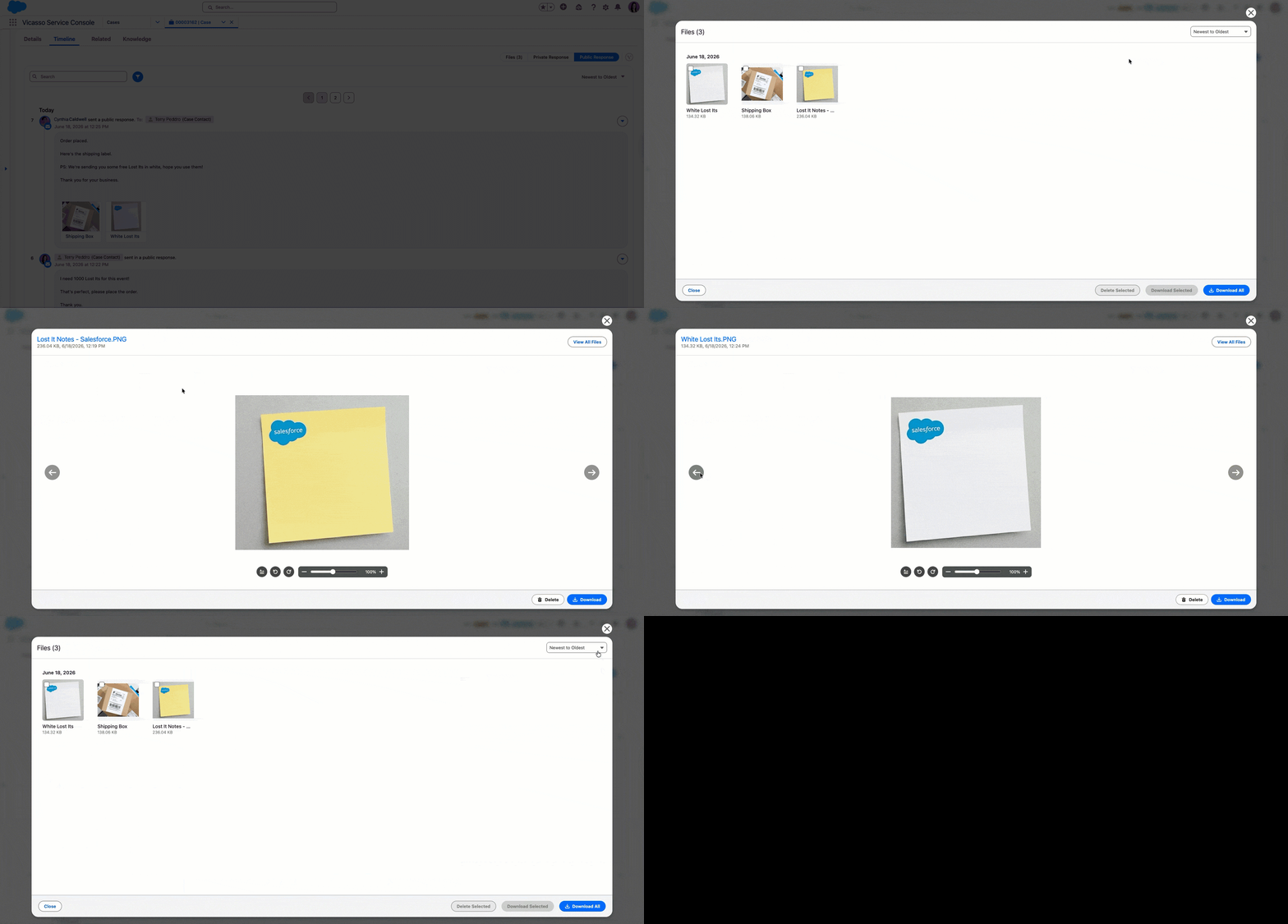
File thumbnails appear directly in the Timeline, so agents never have to dig through attachments to find what a customer sent.
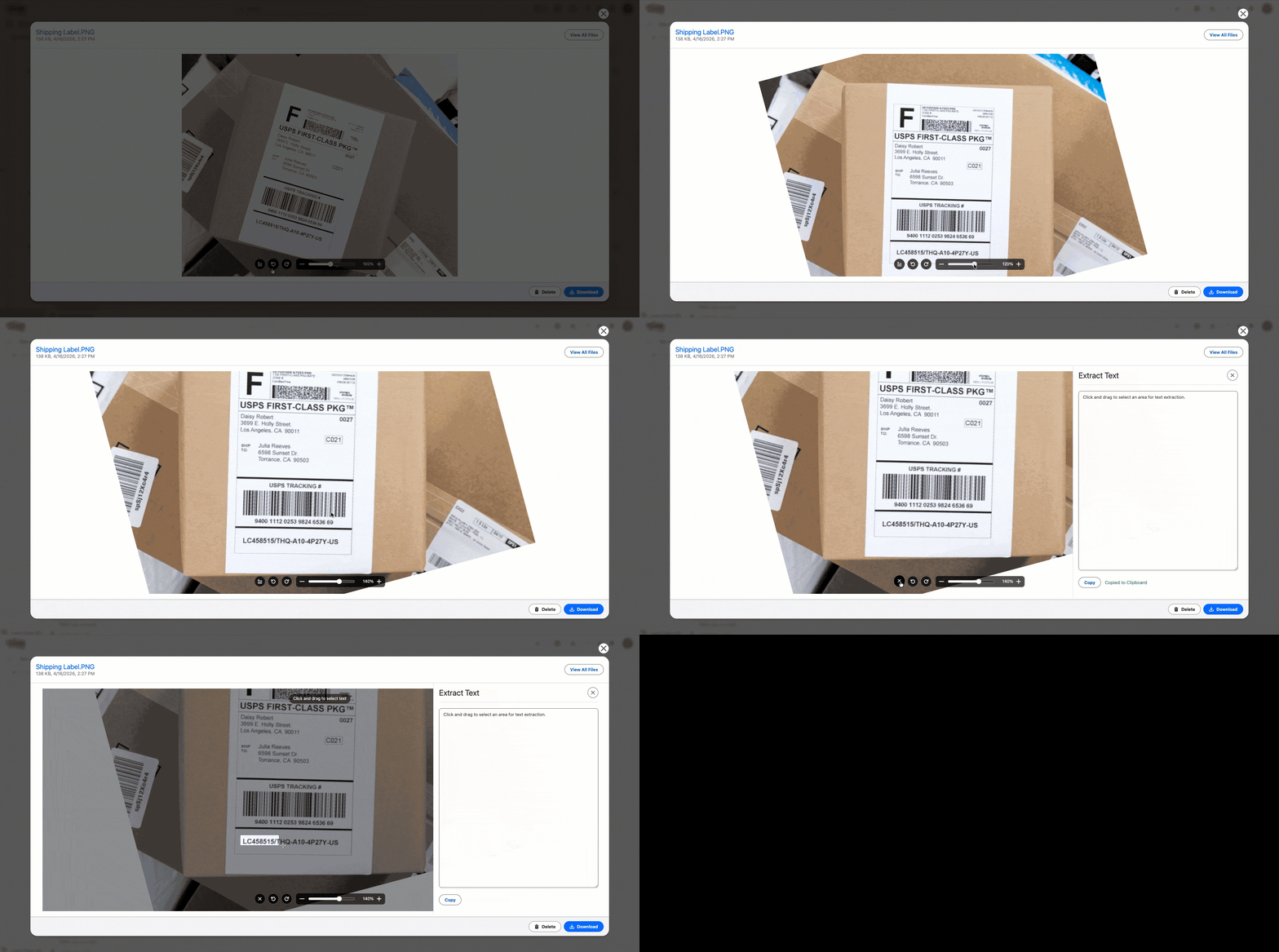
Use AI to capture text embedded in an image and copy it to your clipboard. Rotate and zoom for precision, saving time and reducing errors.
Customers see their full case history and files in real time through your Experience Cloud portal.
Insert an AI-generated follow-up or case summaryinto a response based on case history and details.
Find and insert sections of knowledge articles directly into case responses.
Create a library of pre-built responses with formatting, attachments, and merge fields.


Email to Case Premium helps you get AI-ready by improving the quality of case data your Agentforce prompts are grounded on, enabling you to deliver personalized customer experiences at scale. For more complex cases that require human intervention, Email to Case Premium helps improve the quality and speed of your support.


The ROI calculator is based on the premise that when you use Email to Case Premium, you save 6 clicks per each outbound email response, at 5 seconds per click, which in turn saves an average of 30 seconds.
The specific clicks that are saved include Select Template (2), Select From Address (2) and Edit Case Fields (2). If you use Canned Responses, Knowledge or Attachments on Cases, your savings will be much greater.
Additionally, we assume that support agents work an 8 hour day and that there are 235 working days per year (255 business days per year minus 20 vacation days).
The formula includes the license cost of $22/user/mo, and the ROI output shows your net savings per year.
Talk with a specialist about the advantages of Email to Case Premium, and see it live in action.
$22/user/month
$3,960 contract minimum includes 15 users
Volume discounts available
Guided Setup $2,350/org/one-time payment
Frequently Asked Questions
Email to Case Premium is a native Salesforce app that upgrades Service Cloud's built-in Email-to-Case with a unified case timeline, canned responses, AI-assisted replies, and protection against email loops and duplicate cases.
Email to Case Premium costs $22 per user, per month, with a $3,960 minimum for 15 users and volume discounts for larger teams. A one-time $2,350 guided setup is also available.
Email to Case Premium cuts the clicks and screens needed to process a case compared to Salesforce's native Email-to-Case. It adds duplicate-case prevention, Email Loop Protection, a fully chronological case timeline, customizable canned responses, and built-in workflow automation, all native to Salesforce.
It automates the manual steps agents normally repeat by hand. Canned Responses, the File Viewer, and the AI-powered Text Extractor cut response time, while inbox-based replies and knowledge search keep agents inside one workflow instead of switching tools.
Yes. Email to Case Premium is 100% native to Salesforce and works with Lightning and Experience Cloud, syncing directly with your existing case management and email threading setup.
Yes. Teams can build their own canned responses, control comment visibility, reply through Email Distribution, and use Variation Presets to run different configurations for different teams in one org.
Advanced email threading keeps every message tied to the correct case, and Email Loop Protection flags duplicate cases caused by auto-reply loops before they clutter your queue.
It improves the quality of the case data your Agentforce prompts are grounded on, so AI responses stay accurate as case volume scales.
Yes. Agentforce handles simple, tier-1 cases; Email to Case Premium speeds up the complex cases that still need a human agent — the two are built to work together, not compete.





Consolidate multiple actions into one step.
Remove duplicate efforts by automatically sending an email and creating a comment in the same action. Enjoy rich-text functionality and drag/drop email recipients.
Embed in-line images, save drafts, format text, and schedule comments to send at a later date. Easily preview emails before sending.