+1 609 570 7200








With email-to-case, every image in every email gets attached to the case automatically, like logos, social icons, and banners.
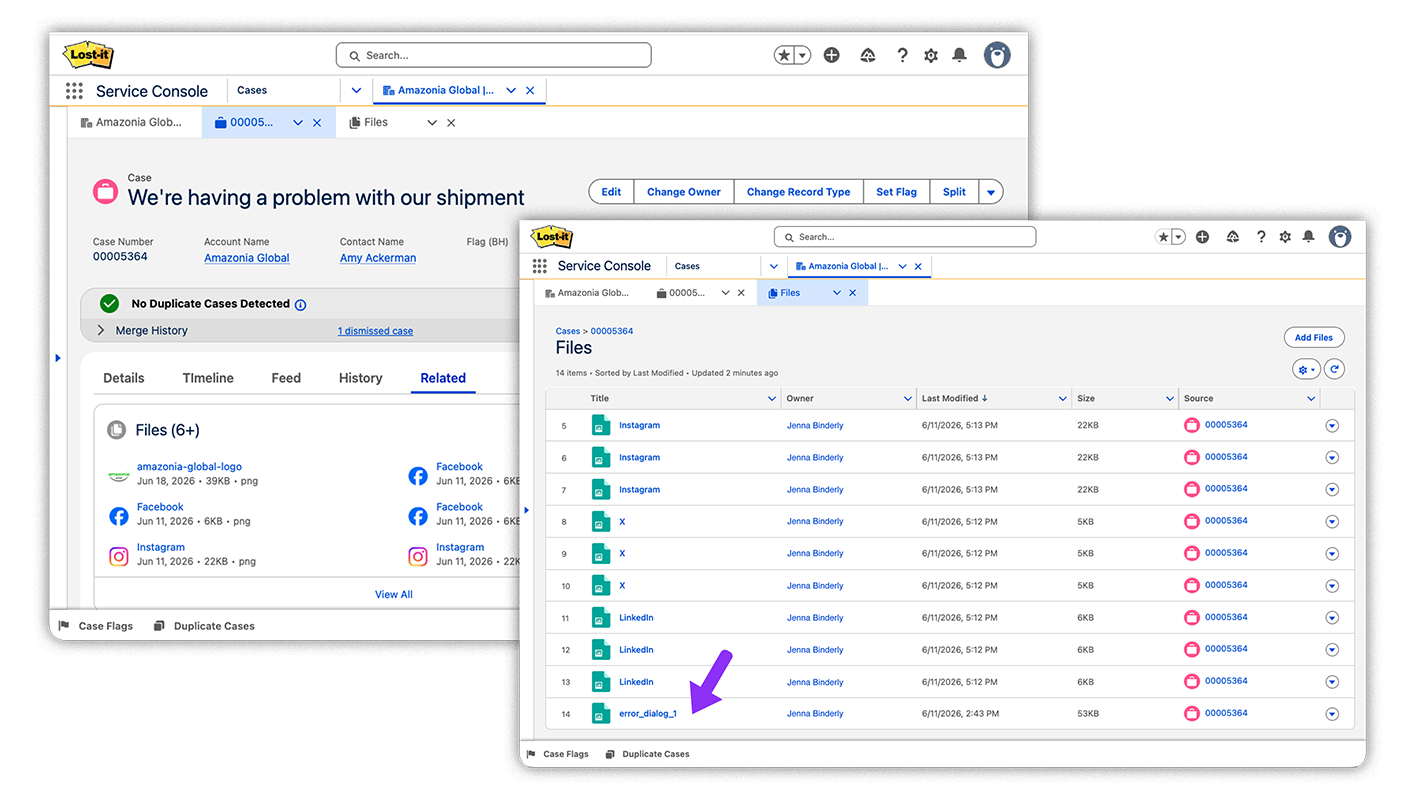
The one file that matters ends up buried in the noise.
File Slayer creates clarity. Hover over a file to preview it without opening it. Duplicates are grouped or blocked, so you're not scrolling past the same logo twelve times.

Slaybot is File Slayer's AI. It's trained to recognize no-value files, like social icons, and block them automatically.
Most AI sends your data to an external model and charges you per call. If that service goes down, so does your automation. Slaybot doesn't work that way. Its neural network runs inside your Salesforce org. The processing and the results stay on the platform, and your files only leave if you want File Slayer to remove them.

Slaybot doesn't consume Flex Credits or Einstein Requests. It's included in your per-user price. There's no meter running.
Slaybot doesn't call out to an LLM provider or an external API, so your data isn't sent anywhere, and no third-party outage can stop it. No new vendor security review, no DPA (data processing agreement) to negotiate.
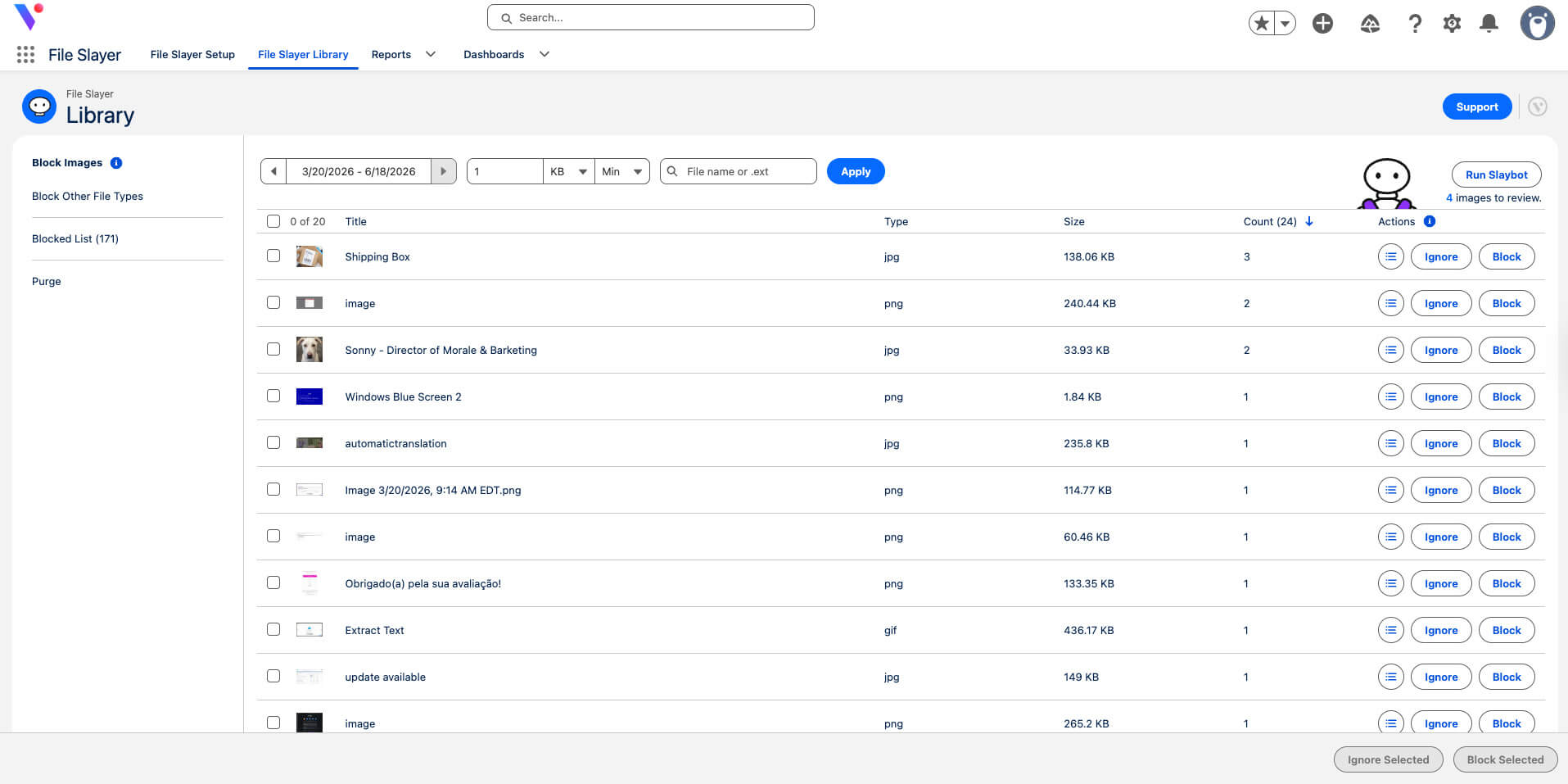
The File Slayer Library is the admin's cleanup workspace. While reps block files on a case-by-case basis, the Library works across your whole org at once: every file in a single view, filtered by date and size, so you reclaim storage in one action instead of record by record.
An org-wide view of every file. Admins work through images and other file types in bulk. Blocked files collect in one list, and unblocking any file restores it. Use filters to search for old files eating into file storage space, and purge them all at once.
Retroactive Block cleans up the clutter you already have, not just the files coming in. Turn it on, and File Slayer blocks every existing copy of a file across your records, so your org is clean on day one.

Easy to install, set up, and use
From the makers of top-rated Salesforce service solutions
100% native to Salesforce
Highly rated on the Salesforce AppExchange
Sorting through file lists is wasted time and money.
Flat per-user pricing, AI included.
Slaybot runs without consumption fees or credits, so the price you see is the price you pay.
$8/user/month
$1,920 contract minimum includes 20 users
Volume discounts available
Guided Setup $1,175/org/one-time payment
Frequently Asked Questions
A licensed user blocks an unwanted file in the Files component, or an admin blocks files in bulk from the File Slayer Library. File Slayer assigns every file a checksum, so once a file is blocked, any future copy that matches is hidden or removed automatically. This runs on checksum matching, not AI, so File Slayer works without Slaybot.
Yes. A user blocks one instance, and checksum matching hides every future copy automatically, which is ideal for the same signature image arriving email after email. If you turn on Slaybot, it blocks social media icons and company logos for you, but you can also block them manually.
Slaybot runs inside your org and automatically blocks social media icons and company logos. Turn it on for hands-off image cleanup, or leave it off and block files manually. It does not consume Flex Credits or Einstein Requests, and it is included in your per-user price.
You choose. The recommended mode hides files from the Files list while keeping them in your org, so you can delete later. Delete mode immediately sends blocked files to the Salesforce Recycle Bin for a more aggressive cleanup.
Yes. Hidden files can be unblocked at any time to make them visible again on the record. Deleted files go to the Salesforce Recycle Bin, where they can be recovered for 15 days; after that, permanent deletion follows your org's retention policy.
No. File Slayer is 100% native, and no data leaves the platform. Even Slaybot evaluates images inside your org and never transmits data externally, so there is no new vendor security review or DPA to negotiate.
Both. With the Retroactive Block setting enabled, blocking a file prompts File Slayer to find older copies with a matching checksum across your records and remove them too, not just new files going forward.
File Slayer is $8/user/month, with a $1,920 contract minimum that includes 20 users. Volume discounts are available, and Guided Setup is a one-time $1,175 per org.
Yes. A 14-day free trial of File Slayer is available on the Salesforce AppExchange.